
Base44: Build Apps with AI
Base44 LTDProductivity
4.0254.00 Reviews
- Version
- 2.131774.0
- Installs
- 100.00K
- Age Rating
- Everyone
Screenshots
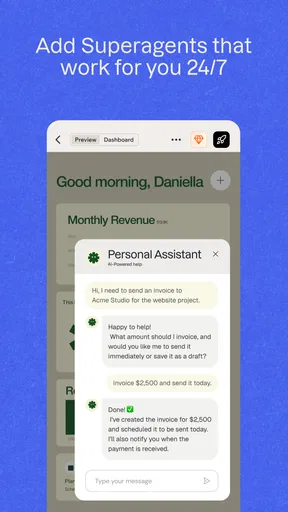
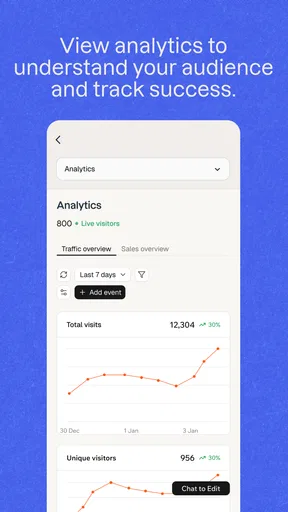
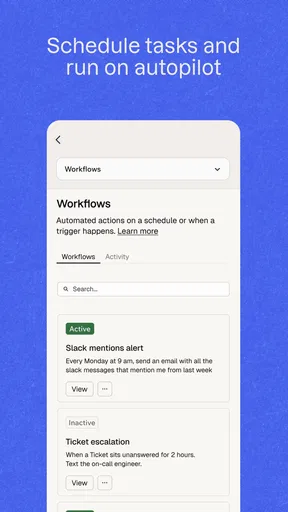
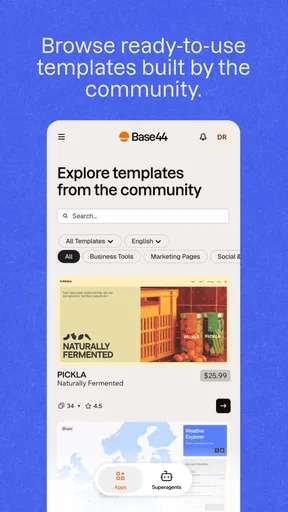
Our Review of Base44: Build Apps with AI
 Analysis by Appyee
I approached Base44: Build Apps with AI as a practical productivity tool rather than a traditional app builder. Its promise is simple: describe what you want in ordinary language and let AI help turn that idea into a working app. In my experience, that makes it most interesting for people who have a clear problem to solve but do not want to begin with programming syntax, database diagrams, or a long setup process.
The app comes from Base44 LTD and is free to use. It sits in the productivity category, carries an Everyone age rating, and has reached over one hundred thousand installs. Its average score is around four stars from roughly one thousand six hundred ratings, which suggests that many people find the idea useful while still encountering the kind of limitations that are common with AI-assisted creation tools.
I also found it important to think about where this app fits in everyday life. It is not just something for a developer working alone. A household could use it to shape a shared chore planner, a meal-preparation board, a packing checklist, or a simple tracker for recurring tasks. The useful question is not whether AI can make an app in the abstract, but whether the result is clear, reliable, and easy for the people who will actually use it.
How Base44 works when several people share the same idea
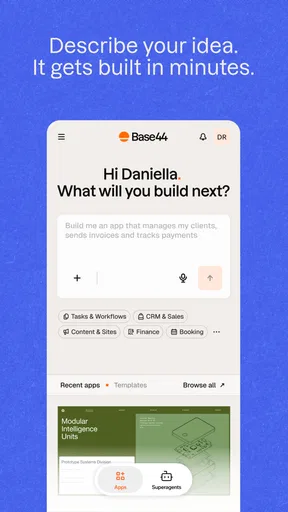
The most natural starting point is a conversation with the builder. Instead of opening a blank coding project, I would describe the purpose of the tool, the information it should handle, and the actions people need to take. For example, a household might ask for a weekly task board with chores, responsible people, due dates, and a way to mark work as complete.
That approach is especially helpful when the person with the idea is not the person who normally handles technology. A parent, student, freelancer, or small shop owner can explain a workflow in familiar language. The important skill is not writing a clever request; it is being precise about what should happen after each action. “Track household jobs” is a weak starting point. “Show unfinished jobs by person, let each person mark a job complete, and keep completed work visible for the week” gives the builder a much clearer target.
For shared use, I would begin with the smallest useful version. A family does not need a huge dashboard on the first attempt. A simple list with names, tasks, deadlines, and status is easier to test than a crowded system containing calendars, messages, reminders, notes, and statistics all at once. This is one of the less obvious strengths of an AI builder: it makes experimentation feel cheap, but that can also encourage people to request too much before they understand what they need.
In a realistic evening scenario, one person could create a basic dinner-planning tool, then ask the rest of the household to try it while deciding meals for the next few days. If everyone understands where to add a meal and how to change its status, the idea has passed a meaningful test. If people keep asking where information belongs, the problem is probably the design rather than the users.
Turning a household request into a usable workflow
I would separate the request into four parts: the information being stored, the people who can change it, the screens each person needs, and the result that should appear after an update. This prevents a common mistake with AI-generated projects, where the description sounds attractive but leaves important behavior unclear.
For a shared shopping list, the information might include an item, quantity, category, and completion state. The workflow could be adding an item before leaving home, checking it off in a store, and reviewing unfinished items later. That is more useful than asking for a “smart shopping app,” because it gives the builder a concrete sequence to represent.
A second practical tip is to test unusual cases immediately. What happens when two people add the same item? What happens when somebody changes a task after it has been marked complete? What happens when a child enters a note with spelling mistakes or a very long sentence? AI can produce a convincing first version while still needing human checking around these edges.
I would also keep the language visible in the app simple. A household tool should use labels such as “To do,” “Done,” and “Assigned to me” rather than technical terms. If a screen makes sense only to the person who created it, it is not yet ready for shared use. The builder can help create structure, but the owner still has to judge whether that structure feels natural.
Account boundaries matter more than the first draft
Before inviting anyone to use a project, I would decide what the app is allowed to contain. A chore board and a private journal have very different privacy expectations. So does a household inventory that includes addresses, medical details, school information, or financial notes. The fact that an app can be built quickly does not mean every idea should be shared widely.
I would avoid placing sensitive personal information into an early experiment. Start with fictional names or limited details, confirm that the workflow works, and only then decide whether the project is appropriate for real household use. This is a practical boundary, not unnecessary caution: a prototype often changes shape several times, and information added too early can become difficult to organize or remove from the process.
Shared devices create another boundary. If several people use the same phone or tablet, the person who opens the app may see whatever the project displays. I would therefore design the first version around information that everyone in the household is comfortable seeing. A general task board is a safer shared-screen project than a personal notes system.
It is also worth separating the creator’s role from the user’s role. The person building the project should remain responsible for changing its structure. Everyone else should have a straightforward way to complete the intended tasks without accidentally redesigning the workflow. Even when the app makes creation accessible, editing and everyday use are different jobs and should be treated that way.
This is where Base44 differs from a paper list or a basic notes app. A note can be shared informally, but it does not naturally express who is responsible for an item, what state it is in, or how the workflow should progress. On the other hand, a conventional project-management service may already offer mature permissions and collaboration controls. If strict separation between household members is the main requirement, I would compare those established tools carefully before moving important information into an AI-built project.
Coordination is useful only when the result is obvious
Good coordination depends on reducing small questions. Who owns this task? Is it still active? Was it completed today or last week? Does changing the title affect the original assignment? When I evaluate a project made with Base44, I look for answers to those questions before I worry about visual polish.
For a shared home workflow, I would create a short set of rules alongside the app. One person adds a task, the assigned person updates its status, and completed work stays visible until the weekly reset. These rules may sound basic, but they prevent the app from becoming another place where information is entered without anyone knowing what to do next.
A useful non-obvious workflow is to build separate views for different moments rather than forcing everyone to read the same screen. A parent may want an overview of all unfinished work, while a child may need only today’s assigned items. A person shopping may need a compact list, while the person planning meals may need categories and notes. Asking for these perspectives at the beginning can produce a much more usable result than adding every possible field to one screen.
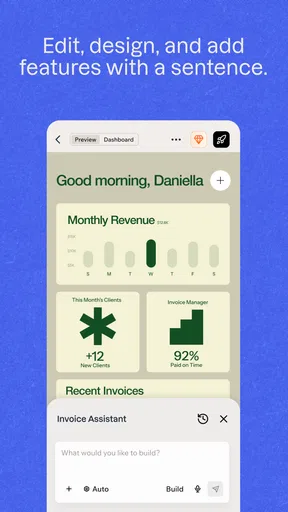
I would also treat the first version as a conversation starter. After a few days, ask which fields nobody uses, which labels cause confusion, and which steps people skip. Then revise the project in small changes. This is more effective than rebuilding the entire idea after every complaint, because it reveals whether the issue is a missing feature, an unclear label, or a workflow nobody actually wants.
Compared with a shared calendar, Base44 has the potential to represent more specific processes. A calendar is excellent for appointments and time-based events, but less natural for tracking the stages of a household task. Compared with a spreadsheet, an AI-built app can feel more focused and approachable, though a spreadsheet remains better when users need unrestricted calculations, bulk editing, or a familiar grid.
Compared with a no-code platform designed for experienced creators, Base44 is more approachable at the starting point because the conversation can begin with a plain-language description. The trade-off is that experienced users may prefer direct control over every field, rule, and layout. I would choose Base44 when explaining the desired workflow is easier than constructing it manually, not when exact technical control is the top priority.
Age context and trust in a shared home
The Everyone rating makes the app broadly suitable from an age-label perspective, but that should not be confused with automatic suitability for every project. A tool can be appropriate for a young user to open while the content created inside it may still need adult judgment. A simple reading tracker is very different from a project containing private family records.
For younger household members, I would keep the interaction narrow and visible. A task list with clear wording is easier to understand than a project with many editable sections. I would also demonstrate the workflow in person instead of assuming that a child will infer what each control does. The goal is to make participation easy without giving a young user responsibility for information they should not manage alone.
Trust also applies to AI-generated results. I would not assume that a polished screen means every rule works correctly. Test adding, editing, completing, and undoing an item. Try leaving fields empty. Try entering an unexpected value. If the app is meant to coordinate real responsibilities, these checks are more important than whether the design looks impressive.
Another useful habit is to keep a human fallback. For a household schedule, retain a familiar calendar or paper note during the trial period. If the new project becomes confusing or unavailable, nobody should lose track of an important appointment or responsibility. This is not a criticism unique to Base44; it is a sensible approach whenever an AI-built workflow replaces a method people already understand.
Base44 is free, which lowers the barrier to trying an idea without committing money first. That is valuable for families and small groups that want to test a custom workflow. Still, free access does not remove the need to invest time in reviewing the result. The real cost may be the effort spent clarifying the request, checking the behavior, teaching others, and maintaining the project when the household routine changes.
What the current version feels like in practice
The current version is 2.131774.0, and it requires an operating system version of 10 or newer. That makes compatibility worth checking before planning a shared-device rollout. If one household member relies on an older device, the project may be less useful as a group tool even if it works well on the newest phone in the home.
I like the way the product puts the idea before the implementation. That is the right order for many personal productivity projects. People often begin by choosing a tool, then force their routine into it. Here, I can first describe the routine and decide whether the resulting structure actually helps.
The friction appears after the first successful generation. A first draft can feel finished because it has screens and controls, but practical quality depends on details such as empty states, confusing wording, repeated entries, and changes made by multiple people. I would not recommend handing a generated project to a whole household until one person has tried to break the workflow deliberately.
There is also a trade-off between customization and simplicity. The more specialized the project becomes, the more useful it may be for one household and the less obvious it may be to a new user. A highly tailored family dashboard can outperform a generic task app for a particular routine, but it can also become dependent on the original creator. If that person stops maintaining it, the rest of the household may struggle to understand how it works.
For that reason, I would document the project in plain language. Keep a short note explaining what each section means, who should update it, and when old items should be cleared. This is one of the most practical ways to protect a shared workflow from becoming a personal experiment that nobody else can manage.
I would skip Base44 if I wanted a mature, ready-made solution with no design work at all. A standard to-do app is quicker for a simple personal list. A calendar is better for appointments. A spreadsheet is stronger for calculations and bulk data. A dedicated family organizer may be preferable when everyone needs familiar collaboration features immediately.
I would choose it when the available tools are close but not quite right: perhaps the household needs a particular sequence of steps, a custom set of fields, or a focused view that ordinary productivity apps do not provide. The value is highest when the problem is specific enough to describe clearly but not so demanding that it requires a full software team.
Who should try it, and who should wait
I think Base44 is a good fit for curious non-programmers, educators planning a small classroom workflow, freelancers organizing a repeatable process, and households that want to test a custom coordination idea. It is also useful for someone who has repeatedly said, “I wish there were an app for this,” but has never had the time or skills to build one from scratch.
I would be more cautious for teams that need strict governance, complex permissions, audit trails, or a guaranteed long-term maintenance process. Those needs call for a careful comparison with established business software or a professionally managed build. The conversational starting point is attractive, but it should not be mistaken for a replacement for every kind of application development.
My strongest recommendation is to begin with one narrow problem and a small group of testers. Write down the desired workflow, build only the essential parts, test awkward inputs, and ask each person to complete the main task without coaching. If the group succeeds, expand gradually. If they fail, simplify the project before adding more features.
For a shared household, I would also agree on ownership before launch. One person should know who will revise labels, remove outdated tasks, and explain changes. Without that agreement, even a useful app can become stale. Coordination tools work because people trust the process, not simply because the interface exists.
My household verdict
Base44: Build Apps with AI is an appealing productivity app for turning a clearly explained idea into a tailored workflow. I appreciate that it gives non-technical users a way to think in terms of real activities instead of code, and its free availability makes small experiments approachable. The strongest results come from modest projects with a clear audience and a simple sequence of actions.
My reservation is that the first working version is only the beginning. Shared use exposes problems that are easy to miss when the creator is testing alone: unclear responsibilities, accidental edits, sensitive information on a shared screen, and rules that do not cover unusual cases. I would treat every generated project as a prototype until several people have used it in an ordinary week.
For a household, my verdict is positive with sensible boundaries. Use it for a focused chore board, meal planner, packing checklist, or similar coordination task. Keep private information out of early experiments, decide who maintains the project, and preserve a familiar backup while everyone learns the workflow. If that sounds like the kind of hands-on setup you are willing to do, Base44 offers a genuinely interesting way to make a tool that matches your routine rather than forcing your routine into a generic app.
Verdict
Strengths of Base44: Build Apps with AI
- Build functional app prototypes without coding experience.
- AI turns plain-language ideas into screens and workflows quickly.
- Easy to test and refine concepts before hiring developers.
- Useful for internal tools, dashboards, and lightweight business apps.
- Can reduce early development costs for small projects.
Limitations of Base44: Build Apps with AI
- Advanced features may require learning platform-specific limitations.
- AI-generated results can need manual corrections and repeated prompting.
- Large or complex apps may become difficult to maintain in one platform.
- Reliance on the service can create concerns about long-term portability.
- Pricing may become expensive as usage, users, or app requirements grow.
Similar Picks in This Category
View All
Google Calendar
Google LLC4.6

Google Drive
Google LLC4.3

Google Assistant
Google LLC3.9

Microsoft OneDrive
Microsoft Corporation4.6

Samsung Calendar
Samsung Electronics Co., Ltd.4.1

Microsoft OneNote: Save Notes
Microsoft Corporation4.6
Frequently Asked Questions
What is Base44: Build Apps with AI, and what can I create with it?
Base44 is an AI-powered app-building platform designed to help users create functional applications from written instructions rather than traditional programming. You can describe an idea, such as a task manager, booking tool, customer portal, inventory tracker, or internal business dashboard, and the platform can generate an initial app structure. Depending on your plan and configuration, you may also customize pages, data, user access, workflows, and visual elements.
Do I need coding experience to use Base44?
Base44 is aimed primarily at people who want to build apps without starting from conventional code, so extensive programming knowledge is not required. You can communicate with the AI using plain-language prompts and refine the result through follow-up instructions. However, understanding basic concepts such as databases, user permissions, forms, and application logic is still useful. More complex projects may require careful testing, troubleshooting, and technical adjustments.
Is Base44 suitable for building production-ready applications?
Base44 can be useful for prototypes, internal tools, lightweight business applications, and early versions of a product, but you should evaluate the result carefully before relying on it for critical operations. AI-generated apps may need review for security, data validation, usability, performance, and edge cases. Before publishing a customer-facing or business-critical application, test every workflow, confirm access permissions, review privacy practices, and make sure the platform’s hosting and scaling options meet your requirements.
Does Base44 support databases, accounts, and app customization?
The platform is intended to create more than static screens, allowing users to describe app data, forms, workflows, and interactive features during the building process. Depending on the current version, subscription, and selected integrations, you may be able to add user authentication, manage records, customize layouts, and define different roles or permissions. Because available features can change, check the latest plan details before downloading, subscribing, or committing an important project to the service.
Is Base44 free to use, and are there any important limitations?
Base44 may offer a free entry point or trial, but AI usage, publishing, storage, advanced functionality, collaboration, integrations, or custom branding can be restricted by plan. Some projects may also consume usage credits or require a paid subscription as they become more complex. Review the current pricing, renewal terms, export options, ownership conditions, and cancellation policy before starting a serious project, particularly if you expect to build frequently or deploy an app for customers.
